In 2026, maintaining consistent performance on LinkedIn is no longer optional. If you are still spending hours and hours writing a high-quality LinkedIn post to grow your network, it is simply not acceptable anymore.
There is a huge collection of tools that can generate high-quality LinkedIn posts in just seconds. You can plan months of content in just one sitting, maintain a steady flow of updates, focus your energy on engaging with your audience, and build a good relationship.
These tools have turned your posting habit from a daily chore into an automated speed engine.
Best 10 LinkedIn Post Scheduling Tools Overview
- FeedBoss: best for AI-driven profiles and Voice Match
- SuperGrow: best for founders and B2B professionals
- DemandBird: best for multi-platform creators and teams
- MyFeedIn: best for networking and deep engagement
- Buffer: best for solo creators and beginners
- AuthoredUp: best for writers who need formatting control
- Sendible: best for social media managers and agencies
- Taplio: best for heavy LinkedIn growth and lead gen
- Later: best for visual brands and e-commerce
- Hootsuite: best for large agencies and enterprises
1. FeedBoss
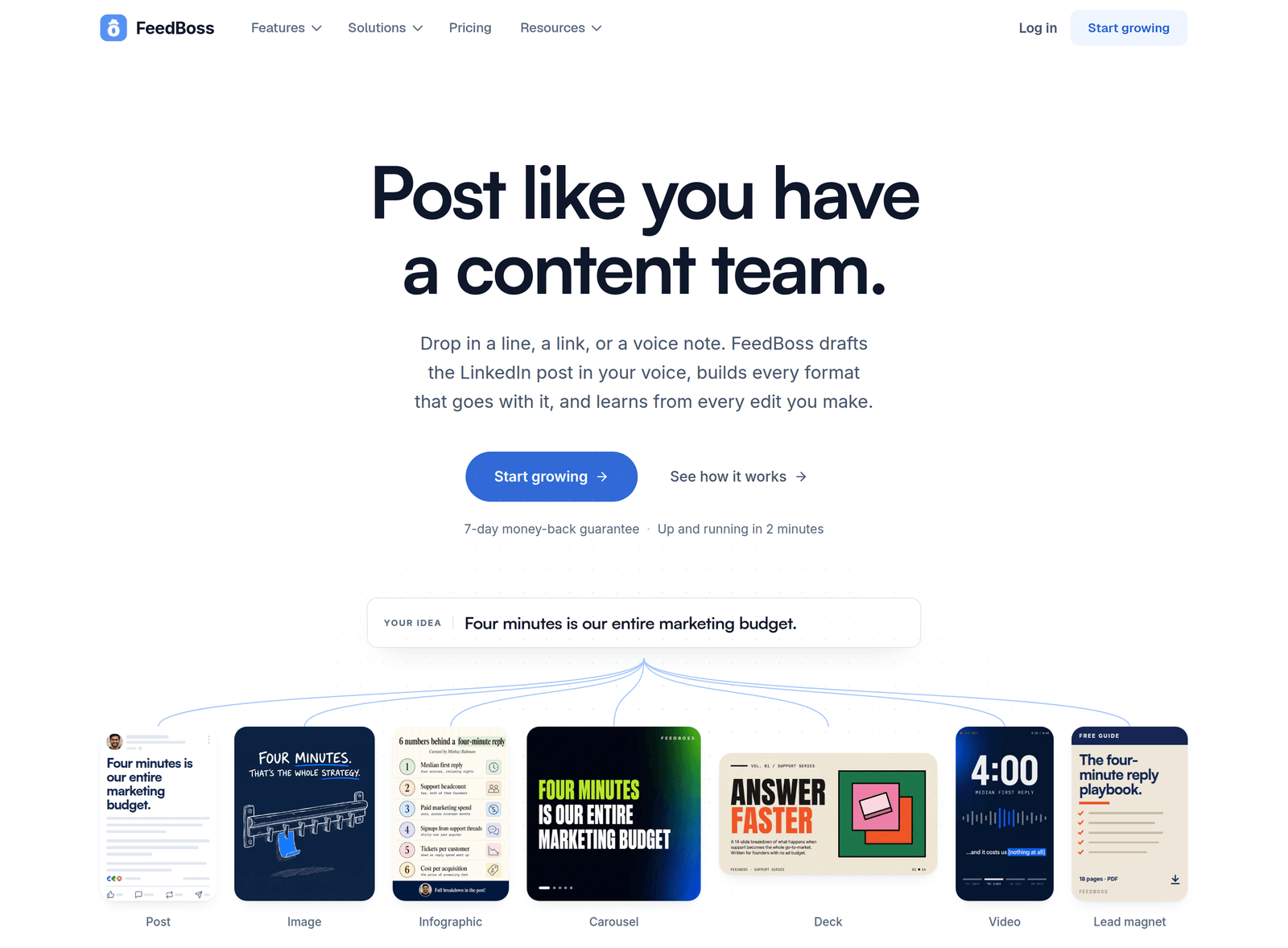
FeedBoss is an AI-powered, all-in-one LinkedIn growth platform. Its main goal is to help you write LinkedIn posts that sound exactly like you.
It doesn't just spit out generic results; it actually reads your experiences, niche, brand style, career goals, and gaps, and creates personalized content that sounds more like you.
You can store PDFs, voice notes, and other files in its knowledge base, and paste YouTube video links to turn them into posts. It saves your feedback and creates the next content accordingly. That is what makes it different from ChatGPT and other AI tools.
FeedBoss keeps the whole content creation path consistent: create, polish, edit, draft, review, schedule, publish, engage, learn, and grow.
It solves the struggles of professionals and individuals who want to grow on LinkedIn but cannot contribute their best.
Key Features
- Generate popular LinkedIn content ideas according to your niche and create posts by analysing your persona.
- Build your Knowledge Base by saving your own files.
- Image Studio has various types of images, infographics, carousels, and headshots that meet your needs.
- Slide Decks and Video Studio generate engaging content from a single sentence prompt.
- Authority Map finds your content gaps while generating new content ideas.
- Profile Audit gives you a step-by-step performance rating.
- Content Calendar and Scheduling make queueing so easy that you can generate your LinkedIn posts for weeks or months in just one sitting.
- Weekly posting goals and streaks keep you consistent, so scheduling becomes a habit instead of a one-off push.
- Analytics track your follower growth, likes, comments, reposts, engagement rate, and your best time for posting, based on your own content.
Pricing
FeedBoss has 3 pricing plans, and every plan comes with a 7-day money-back guarantee. Creator also comes with a 7-day free trial (a card is needed to start it).
- Creator: This plan comes at $29/month, or $23/month billed yearly. The affordable one with 1,000 AI credits a month, 5 profile audits per month, 1 LinkedIn account, 10 tracked engagement profiles, 25 GB of media storage, and a Knowledge Base for voice notes and text.
- Pro: This plan comes at $59/month, or $47/month billed yearly. 3,000 AI credits a month, 15 profile audits per month, 5 LinkedIn profile connections, 2 members, 5 workspaces, 30 tracked engagement profiles, and 100 GB storage. And you can use AI Video Studio and premium templates.
- Studio: This plan comes at $149/month, or $119/month billed yearly. 8,000 AI credits a month, 25 LinkedIn profile audits per month, 10 LinkedIn profile connections, 10 members, 10 workspaces, 60 tracked engagement profiles, and 500 GB storage, and you can use AI Video Studio, premium templates, the Authority Map, lead magnets, the approval workflow, white label, and API access.
Every paid plan can also connect to ChatGPT and Claude through the FeedBoss MCP server.
Pros and Cons
Pros
- It matches your voice and vocabulary well enough that I would give it 93 out of 100.
- Its standout feature is the Authority Map, which assists in crafting an effective LinkedIn content strategy.
- The 7-day free trial and money-back guarantee provide exceptional value, allowing you to thoroughly evaluate the platform and determine which plan best fits your specific requirements before committing.
Cons
- It is built for LinkedIn only, so it is not a multi-platform social media management tool.
- API access, the Authority Map, lead magnets, and the approval workflow are only on Studio, which is comparatively expensive.
- The popular posts filter doesn't filter posts based on their quality; it filters them based on likes, comments, and reposts.
2. SuperGrow
SuperGrow is a LinkedIn growth tool that focuses on content creation and personal branding. It is best suited for creators, founders, and B2B professionals. It gathers AI-generated post creation, visual creation, editing, scheduling, and analytics in a single dashboard.
Key Features
- AI post generator that mimics your style. Build custom engagement profiles to monitor your core network, leads, and industry creators.
- AI comment generators produce relevant, insightful replies instantly, helping you interact effectively while cutting down work hours.
- Interact directly with personalized audience lists right within the SuperGrow dashboard, eliminating the need to toggle between external tabs or additional tools.
- You can see content from the people in your engagement lists.
Pricing
It has three main plans.
- Pro: $39/month ($31/month billed annually). Best for the solo thoughtful creators. It includes 1 profile connection with content DNA and unlimited Postcast AI interviews.
- Teams: $199/month ($189/month billed annually). For marketing leaders activating up to 5 executives. It includes 5 profile connections with content DNA per team member, feedback and approval workflows, and an organisation dashboard.
- Enterprise: Custom Pricing. Best for organisations with more than 5 executives and custom needs. It supports custom integrations and API access.
Pros and Cons
Pros
- Managing your interactions directly within a single unified dashboard keeps you organized while eliminating unnecessary distractions.
- The entry expense is affordable.
- Generates high-quality carousels.
Cons
- It has no popular post detection feature.
- You need to manually handle the comments, replies, and engagement section.
- SuperGrow is only for LinkedIn, not a tool for managing multiple platforms.
Here you will learn about the details of Supergrow alternatives.
3. DemandBird
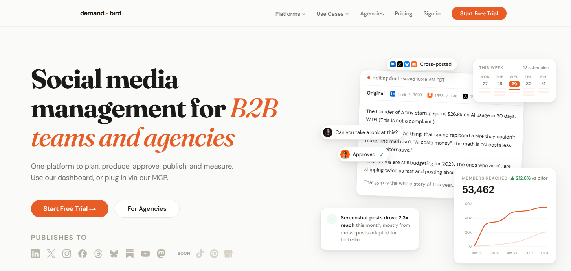
DemandBird is an AI-powered LinkedIn content creation tool, but it can also repurpose the content for other social platforms like Twitter, Substack, YouTube, Threads, etc. This tool is well-suited for B2B teams, agencies, and professionals.
Key Features
- DemandBird writes the post for your LinkedIn, and it can also change the tone, structure, and length of the post and repurpose it for your other social platforms.
- Deep analytics track your post performance, engagement rate, and audience demography.
- The Content Library saves your past posts so that it can use them in AI strategy, and you can reuse the best-performing ones again.
Pricing
It has three plans, billed annually.
- Pro: $29.25/mo. Here you can add up to 5 social accounts, including 1 X (Twitter) account.
- Business: $51.75/mo. Here you can add up to 10 social accounts, including 3 X accounts.
- Agency: $141.75/mo. Here you can add up to 20 social accounts, including 5 X accounts.
Pros and Cons
Pros
- Able to post on multiple platforms right from one dashboard.
- Using MCP, able to publish directly from AI assistants like ChatGPT and Claude.
- No additional per-seat fees for team members.
Cons
- If someone only uses LinkedIn, this tool's multi-platform feature could feel unnecessary to them.
- Unlike the other competitors, DemandBird has some limits on using AI features.
- Though it is a multi-platform management tool, it lacks some visual integrations, which makes it less suitable for visual-heavy platforms like TikTok and Instagram.
4. MyFeedIn
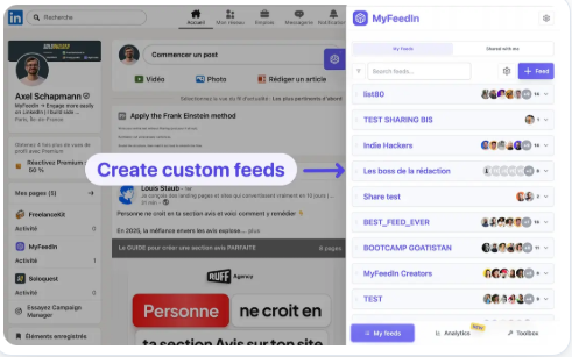
It lets you create a custom LinkedIn feed and see posts from the people you choose, without unknown people's posts scrolling by. You can engage with people right inside MyFeedIn. Reactions, comments, and shares can all be done from MyFeedIn's dashboard; no need to switch to LinkedIn.
Key Features
- A personalised feed fills your LinkedIn feed with posts from people whose thoughts and writing really matter to you.
- Focus Mode keeps the unnecessary noise away while scrolling the LinkedIn feed.
- The post scheduler helps you schedule your post at the best time. You just pick a slot, and MyFeedIn publishes it in minutes.
- You can track your post impressions and engagement through the analytics.
Pricing
It has only 2 plans, both with a 7-day free trial.
- Starter: $8/month billed annually ($15 billed monthly). It is best for solo creators and doesn't allow video creation. Auto-commenting and outreach work.
- Growth: $15/month billed annually ($29 billed monthly). It is suitable for founders and teams who post and prospect every week.
Pros and Cons
Pros
- It is a very reliable tool for fast networking growth with the chosen people without being distracted by the timeline.
- It tracks your comment performance, which most tools ignore.
Cons
- As it is a Chrome extension, it is reliant on desktop browser usage.
- Most of the features basically do the engagement task. If you only want a scheduler, it might feel overwhelming to you.
5. Buffer
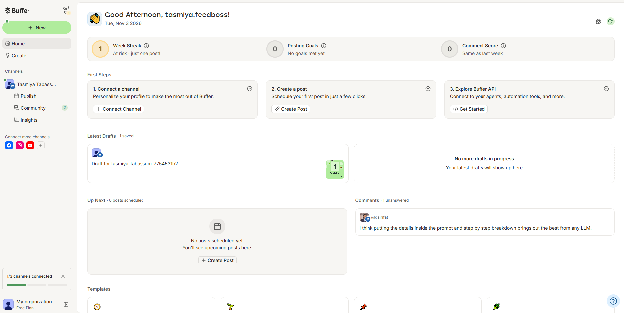
Buffer is a multi-platform social media management tool. Here you can manage your Facebook, Instagram, LinkedIn, X (Twitter), Pinterest, TikTok, YouTube, Threads, Bluesky, and Mastodon from a single dashboard. It works best, especially for professional individuals and business teams who need consistent posting schedules across several social platforms.
Key Features
- If you are stuck on what to write, Buffer's AI assistant helps you to write from scratch. But it doesn't replace a good writer.
- Community inbox gathers the post comments into a single inbox. Users receive engagement notifications and can filter them by platform.
- You create a post, set up the posting schedule for each platform, and it takes only 2 minutes.
- Content collaboration lets you add unlimited users to your account. Team members can create and draft the posts, and the manager can approve them before publishing. You can also see everything your team is posting in the calendar view.
- In the "Apps & Integrations", you can connect external tools like Canva, Google Drive, Zapier, and more.
Pricing
Buffer bills based on the number of connected channels. You can add or remove channels as your usage changes.
| Plan | Monthly billing (per channel) | Annual billing (per channel) | Channels | Ideas | Users | Scheduled posts |
|---|---|---|---|---|---|---|
| Free | $0 | $0 | 3 | 100 | 1 | 10 per channel, refills anytime |
| Essentials | $5 | $60 | Unlimited | Unlimited | 1 | Unlimited |
| Team | $10 | $120 | Unlimited | Unlimited | Unlimited | Unlimited |
Pros and Cons
Pros
- Its free plan is good enough to get a better taste of the whole tool experience.
- User-friendly interface.
- You can connect more than 10 platforms.
- The built-in AI helps to generate popular post ideas and saves time.
Cons
- Paid plans are expensive. Managing 10 accounts costs $50-$100/month depending on the plan.
- Limited analytics on the free plan.
- It is not good for large-scale social media monitoring support.
6. AuthoredUp
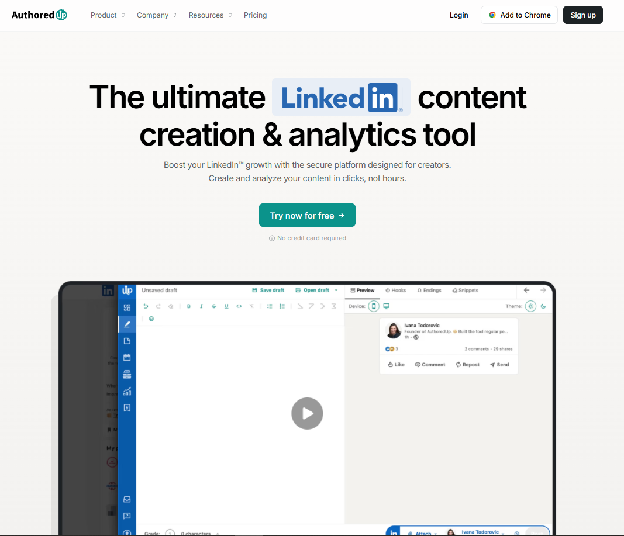
AuthoredUp is a specialized Chrome extension, and not an AI-powered content generation tool. It is more like an editor, formatter, previewer, and analytics tool. For users who love to write on their own, this tool helps them to refine their writing. AuthoredUp is specifically used by LinkedIn thought leaders, valued content creators, and growth marketers who want to focus on content quality and manage how their content appears to their audiences.
Key Features
- Post Formatting: It is a solution to LinkedIn's dull editor. It has improved the writing experience inside LinkedIn itself.
- Content management and templates: Here you can build templates, store them, and reuse them. If you follow a specific style repeatedly, like lifestyle, hooks, checklists, or step-by-step, you can reuse the draft.
- Analytics: It offers deep analytics with some of its own metrics. You can import years-old data and compare performance.
- Scheduling: This also follows LinkedIn's native style and is not actually a system of its own.
- Team collaboration: This feature is available on a limited scale. You can add multiple profiles in a higher plan, but there is no proper way to manage drafts and approvals, which are necessary for smooth teamwork.
Pricing
It has 3 plans:
- Individual Plan: $16.63/month billed annually ($19.95 billed monthly). One connected profile, every feature.
- Business Plan: $12.46 per profile/month billed annually ($14.95 billed monthly). Minimum three profiles, with admin, manager, and member roles.
- Free trial, 14 days: no credit card required; cancel from account settings.
Pros and Cons
Pros
- Built specifically for LinkedIn, so if that is your main platform, AuthoredUp is for you.
- With its amazing formatting, you will get better control over how your posts should appear to your audience.
- Its template system keeps you consistent in your formatting.
Cons
- As it is basically a Chrome extension, it depends heavily on your browser and LinkedIn's interface.
- Unlike other tools, AuthoredUp doesn't offer AI assistance to improve content.
- Its scheduling feature is so basic. Compared to other tools, it feels quite restricted.
If it isn't the right fit, here are the best AuthoredUp alternatives.
7. Sendible
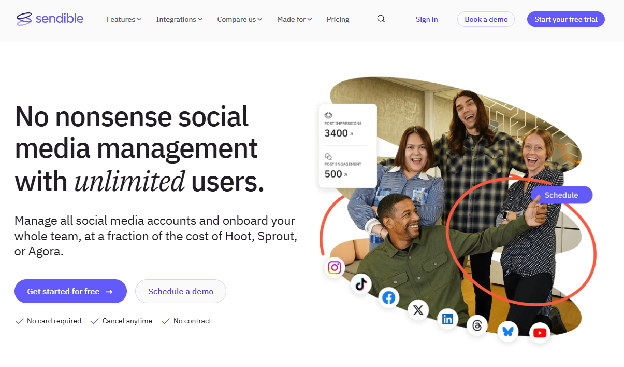
Sendible is an all-in-one social media management tool for agency teams, marketers, and independent specialists who manage multiple client profiles at once. It supports scheduling to both LinkedIn personal profiles and Company Pages. With features like smart queues, bulk scheduling, and approval workflows, Sendible helps to streamline the entire LinkedIn content calendar.
Key Features
- Bulk Scheduling: Bulk scheduling allows users to create multiple posts quickly.
- Client Approvals: It includes a built-in approval workflow where you can send a post to a client or a team member for review before publishing.
- Built-in Canva & Image Editor: A direct Canva integration and built-in image editor are available to customize graphics to recommended sizes easily.
- Smart Queues: Smart Queues let users set specific time slots for posts or rely on Sendible's data to pick optimal engagement times automatically.
Pricing
| Plan | Pricing (Monthly) | Workspaces | Accounts Supported | Users |
|---|---|---|---|---|
| Core | $35 | 1 | 6 profiles | Unlimited |
| Plus | $99 | 3 | 18 profiles | Unlimited |
| Premium | $199 | 7 | 42 profiles | Unlimited |
| Elite | $299 | 15 | 90 profiles | Unlimited |
| Enterprise | $750 | 50 | 300 profiles | Unlimited |
Pros and Cons
Pros
- The unlimited scheduling is a great deal, which is cost-effective compared to competitors.
- The interface is highly beginner-friendly, featuring clean navigation and a straightforward post composer.
- The built-in Canva integration significantly improves efficiency when creating social media graphics.
Cons
- It lacks specific features like Pinterest integration and a link-in-bio tool.
- The pricing is too expensive for small businesses or individuals.
- Some users report that the design looks outdated, and the mobile app is glitchy and crashes when trying to edit scheduled posts.
8. Taplio
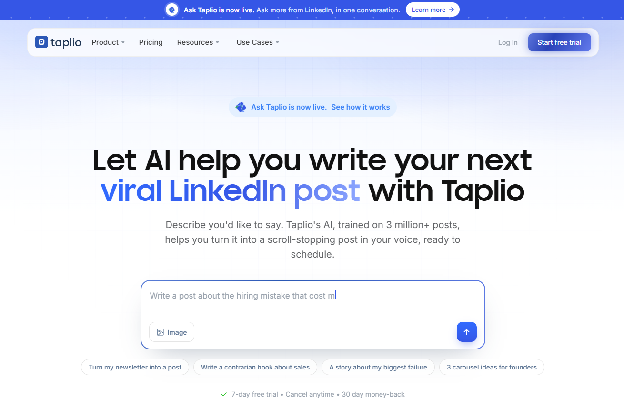
Taplio is a premium LinkedIn growth platform specially built for founders, creators, consultants, and sales professionals to build a pipeline on LinkedIn. It is designed to maintain an overall LinkedIn content cycle, from generating content ideas and AI assistance to tracking engagement and lead generation.
Key Features
- Viral Post Database: It has access to a searchable database of over 5 million high-performing LinkedIn posts.
- AI writing & carousel generator: AI assistance to create posts, generate carousel slides, infographics, and hook suggestions based on your ideas.
- Advanced Scheduling: It features a visual calendar, timezone adjustment, automated first comment, and auto-reply to the followers who interacted with your posts.
- Lead magnet: It runs automated outreach sequences.
- Analytics: It lets you compare your performance rate and reach against other profiles of the same style.
Pricing
It has three plans.
- Starter: $39/month (billed monthly). You can schedule posts in seconds, track core metrics, and build posting consistency.
- Growth: $69/month (billed monthly). You can write viral posts with AI, reply and comment 10x faster, and collaborate with your team.
- Pro: $199/month (billed monthly). This plan has 10x more AI usage than Growth, unlimited comments, automated lead outreach, and priority support and access.
Pros and Cons
Pros
- Its collection of viral content ideas is unique in the market.
- The dashboard is clean and easy to navigate for batch scheduling.
- The combination of scheduling, analytics, and CRM features in one place has replaced the need for multiple subscriptions.
Cons
- It is one of the most expensive tools on the market.
- The AI output can sound very generic and robotic if you do not set any personal and specific data inside.
- Outbound automation depends on a Chrome extension, potentially breaching LinkedIn policy and risking user profiles.
Comparing options? Here are the best Taplio alternatives.
9. Later
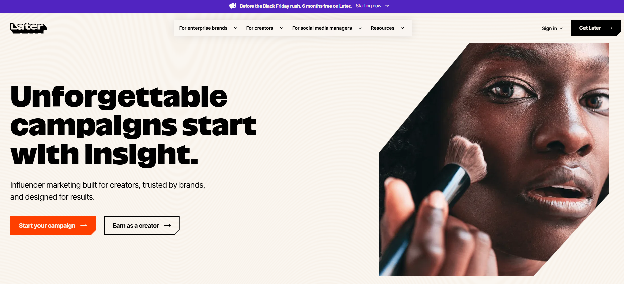
It started as Instagram's first scheduling tool, but over time it has become a highly popular social media management platform. It helps users to plan, schedule, and auto-publish LinkedIn content, including text, images, carousels, and video. It offers creators and professionals a way to map out their LinkedIn presence.
Key Features
- Visual Content Calendar: A drag-and-drop calendar allows you to organize your media library and posts easily.
- AI Caption Writer: It helps to generate first ideas and drafts for the post caption.
- Link in Bio: A built-in feature that creates a customizable landing page and turns your social profile feed into a shoppable experience.
- Multi-Platform Auto-Publishing: This feature lets you schedule and auto-publish posts across multiple platforms at a time.
Pricing
Later offers a 14-day free trial.
- Starter: $18.75/month (billed annually) for 1 social set (up to 8 profiles) and 30 posts per profile.
- Growth Plan: $37.50/month (billed annually) for 2 social sets, 2 users, and 180 posts per profile.
- Scale Plan: $82.50/month (billed annually) for up to 6 social sets, 4 users, and unlimited posting.
Pros and Cons
Pros
- The visual planner and grid preview are the best in the business for visual-heavy brands.
- The built-in Link in Bio tool adds immense value without extra cost.
- The user interface is incredibly clean and easy to navigate for beginners.
Cons
- LinkedIn scheduling offers limited formatting options, and the LinkedIn analytics are very basic compared to its Instagram tools.
- It no longer supports X (Twitter), which is a major drawback for B2B marketers.
- It doesn't have bulk scheduling via CSV upload.
10. Hootsuite
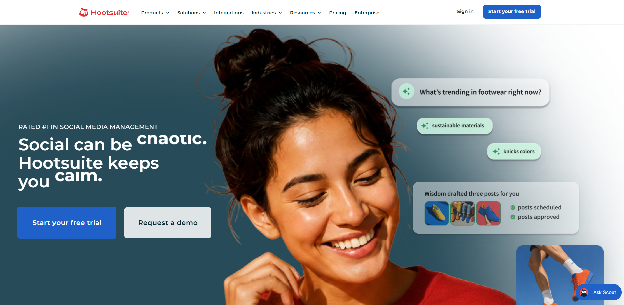
Hootsuite is one of the oldest and most established platforms in the social media management space. It is designed primarily for agencies, large organizations, and teams that need to manage multiple social tools simultaneously. It supports Facebook, Instagram, LinkedIn, TikTok, X (Twitter), Pinterest, YouTube, and others. It has evolved from a simple scheduler to a great command centre.
Key Features
- Automated Post Scheduling: Create, review, schedule, and publish content across a wide variety of platforms, including LinkedIn, Instagram, Facebook, X, and TikTok, from a single drag-and-drop calendar.
- Advanced Social Listening: This feature monitors brand mentions, keywords, and competitor sentiment across public platforms.
- Team Collaboration: Offers steady team features including role-based permissions, internal notes, and custom content approval workflows.
- Bulk Scheduling: It allows uploading and scheduling up to 350 posts at once via CSV files (on higher-tier plans).
Pricing
Hootsuite has permanently removed its free plan. They offer a free trial, but you must pay after it ends.
- Standard Plan: $99 per user/month (billed annually). You can manage up to 10 social media accounts in this plan.
- Professional Plan: Starts at $199/month (billed annually). You can automate repetitive work here and add unlimited social accounts.
- Advanced Plan: $399 per user/month (billed annually), with unlimited social accounts.
- Enterprise/Business Plans: Custom pricing starting at several hundred or thousands of dollars for large teams and unlimited accounts.
Pros and Cons
Pros
- Supports scheduling across almost all major social platforms.
- Collaboration workflows across the team have made it safe for corporate environments.
- The social listening and brand monitoring feature is highly advanced.
Cons
- The starting plan is too expensive.
- Over time, the user interface has started to feel outdated.
- Advanced features like deep analytics and efficient team approval workflows are locked behind the expensive plans.
Comparison Table of the Best LinkedIn Post Scheduling Tools
| Name | Best for | Standout Feature | Starting Price (Billed Annually) | Trial |
|---|---|---|---|---|
| FeedBoss | AI-driven profiles & Voice Match | Learns your writing style to avoid robotic AI tones. | $23 / month | 7-day free trial |
| SuperGrow | Founders & B2B Professionals | Postcast AI & ready-made Carousel Maker. | $31 / month | 7-day free trial |
| DemandBird | Multi-platform creators & Teams | Automatically adapts LinkedIn posts for other platforms. | $29.25 / month | 7-day free trial |
| MyFeedIn | Networking & deep engagement | Algorithm-free custom feeds & comment analytics. | $8 / month | 7-day free trial |
| Buffer | Solo creators & beginners | Extremely simple, clean interface with no learning curve. | $5 / month (per channel) | Permanent free plan |
| AuthoredUp | Writers who need formatting control | Multi-device real-time preview & 200+ Hook templates. | $16.63 / month | 14-Day free trial |
| Sendible | Social Media Managers & Agencies | Client approval workflows & unlimited users. | $30 / month | 14-Day free trial |
| Taplio | Heavy LinkedIn Growth & Lead Gen | 5M+ Viral post database & Auto-DM campaigns. | $39 / month (billed monthly) | 7-day free trial |
| Later | Visual Brands & E-commerce | Drag-and-drop visual planner & built-in Link in Bio. | $18.75 / month | 14-Day free trial |
| Hootsuite | Large Agencies & Enterprises | Advanced social listening & omnichannel publishing. | $99 / user / month | Free trial available |
What Makes a Tool Unique for Scheduling LinkedIn Posts
An artificial intelligence tool for scheduling posts specifically for LinkedIn should help you make insightful choices about what to share today, when to share, and how to sound.
This tool's AI feature should support your style, not make you another robot. It should shape ideas that make you feel safe scheduling the drafts.
Proper LinkedIn analytics show how your audience engages and indicate the exact time range your posts may reach them, which is your best time to post.
A high-performing tool brings these pieces together. Useful insight, straightforward pricing, and support for sharing in your own voice.
LinkedIn Native Scheduler vs. Third-Party Tool: Which One Should You Use?
Choosing a LinkedIn scheduler depends on the quantity and quality of content workflow you need. For some people, a simple way to plan a few posts is enough, while others need more support as their content operation grows.
LinkedIn Native Scheduler
LinkedIn's built-in scheduler is free and offers a straightforward way to plan text, image, and video posts.
It's easy to use and works well for individuals who want to schedule posts a few days ahead without adding another tool to their workflow.
But when it comes to advanced features, it has fewer options. Depending on your needs, you may miss features such as scheduling document carousels, adding a first comment automatically, team approval workflows, or more detailed performance analytics.
Third-Party Scheduling Tools
Tools such as FeedBoss, Supergrow, Buffer, and DemandBird offer additional features for creators, founders, and teams that manage a more detailed content strategy.
Depending on the tool and plan, features may include AI writing assistance, analytics, cross-platform repurposing, team collaboration, and bulk scheduling for posts, carousels, or first comments.
Most require a subscription, and you'll need time to get familiar with a new interface.
Which One Should You Use?
If you post once or twice a week and want a simple way to plan, the native scheduler may be all you need. If you're managing a brand, coordinating with a team, building a good relationship with your network, or using performance data to shape your content, a third-party tool may be worth considering.
The best choice is the one that fits your workflow today, while leaving room to adapt as your content needs change.
Conclusion
Choosing a LinkedIn scheduling tool in 2026 depends on three things: your goal, your team size, and your budget.
For a solo creator who wants a free, simple calendar, Buffer is a good place to start.
Founder or sales professional who wants AI features and lead generation: FeedBoss offers toolkits that are built for them.
Agency or team managing multiple clients: FeedBoss has the collaborative workflows that make the complexity easier.
Whichever you pick, let the tool handle the scheduling so you get more time for real conversations that improve relationship networking, while the voice in every post should still be yours.
Before making a decision, look at your current content strategy, use the free trials, and see which interface feels natural in your daily workflow.
Write in your voice, then schedule posts, carousels, decks and video from one calendar.
Start growing7-day money-back guarantee.
Frequently Asked Questions
What is the best LinkedIn post scheduling tool for personal branding?
FeedBoss is the strongest pick for personal branding. It learns your voice from your own posts, writes drafts that sound like you, and schedules them to LinkedIn from one content calendar, with analytics and posting streaks to keep you consistent.
Is LinkedIn's native scheduler enough?
If you post once or twice a week, LinkedIn's free native scheduler may be enough. It handles text, image, and video posts. It does not add a first comment, run team approvals, or show detailed analytics, so most creators and teams who post often use a third-party tool.
Can you schedule a first comment on LinkedIn?
Not with LinkedIn's native scheduler. FeedBoss can publish a first comment automatically on text and image posts, and Taplio also offers an automated first comment.
Are LinkedIn scheduling tools safe to use?
Scheduling tools that publish through LinkedIn's official API, like FeedBoss, are safe to use. Be more careful with tools that automate outreach, comments, or messages through a browser extension, because that kind of automation can break LinkedIn's rules and put your profile at risk.
How much does a LinkedIn post scheduling tool cost?
Buffer has a free plan, and its paid plans start at $5 per channel a month. FeedBoss starts at $29 a month, or $23 a month billed yearly. Taplio starts at $39 a month, and Hootsuite starts at $99 per user a month, billed annually.